Chunks and color
Chunked voxels
While the DDA algorithm is very fast as is, the application I’m using it for here wastes a lot of time, since I’m only interested in the first occupied grid cell along a ray, and the grid is relatively sparse. Raytracers that don’t limit themselves to voxels usually need complicated bounding volume hierarchies like octrees to achieve a real-time-ish performance. A very simple such structure could be a 3D grid traversed by DDA, like what I’m doing here. With that, you would only need to check intersections in the grid cells traversed by a given ray. But for large, sparse scenes, there would, again, be a lot of empty cells, if the cells are small enough to limit the number of intersection tests in each one. That’s why octrees make so much more sense. Octrees are fast because they divide the scene into both large and small cells, in a hierarchical manner, so that there are very few objects to check intersections for in each small cell, but also very few steps to reach the small cells.
So in the end, we need a structure that lets us skip checking for intersections in empty spaces. A simple middle ground between the 3D grid approach and the octree comes to mind: Put a 3D grid in each cell of the 3D grid. Call these inner grids “chunks”, and have them contain information about whether or not they’re empty.
Then
- use the DDA algorithm to traverse the outer grid until you find a chunk that isn’t empty.
- use the same DDA algorithm to traverse the chunk from step 1.
-
- if a voxel was hit in step 2, return that info to the outer DDA loop, and terminate it, or
- if there was no hit in the chunk, keep iterating the outer DDA loop and check the next chunk.
While the idea itself is simple, it took me quite a while to implement.
I still wanted to limit the amount of data I send to the GPU, and was slightly scared when I got an error saying my shader expected more than 12MB for my scene, which was less than I was transmitting to the GPU. In hindsight, that isn’t so much, since most modern graphics cards have gigabytes of VRAM, and integrated graphics use system RAM, but the large number scared me. I opted to lower the amount of data by sending all the material properties separately from the voxels, and compressing the voxels to 8 bytes each, then decompressing them when I need them on the GPU.
While this saves data, and the number of places where I need to put padding variables in my code to keep the alignment of the data intact when moving to the GPU, it also caused an infuriatingly difficult to isolate bug.
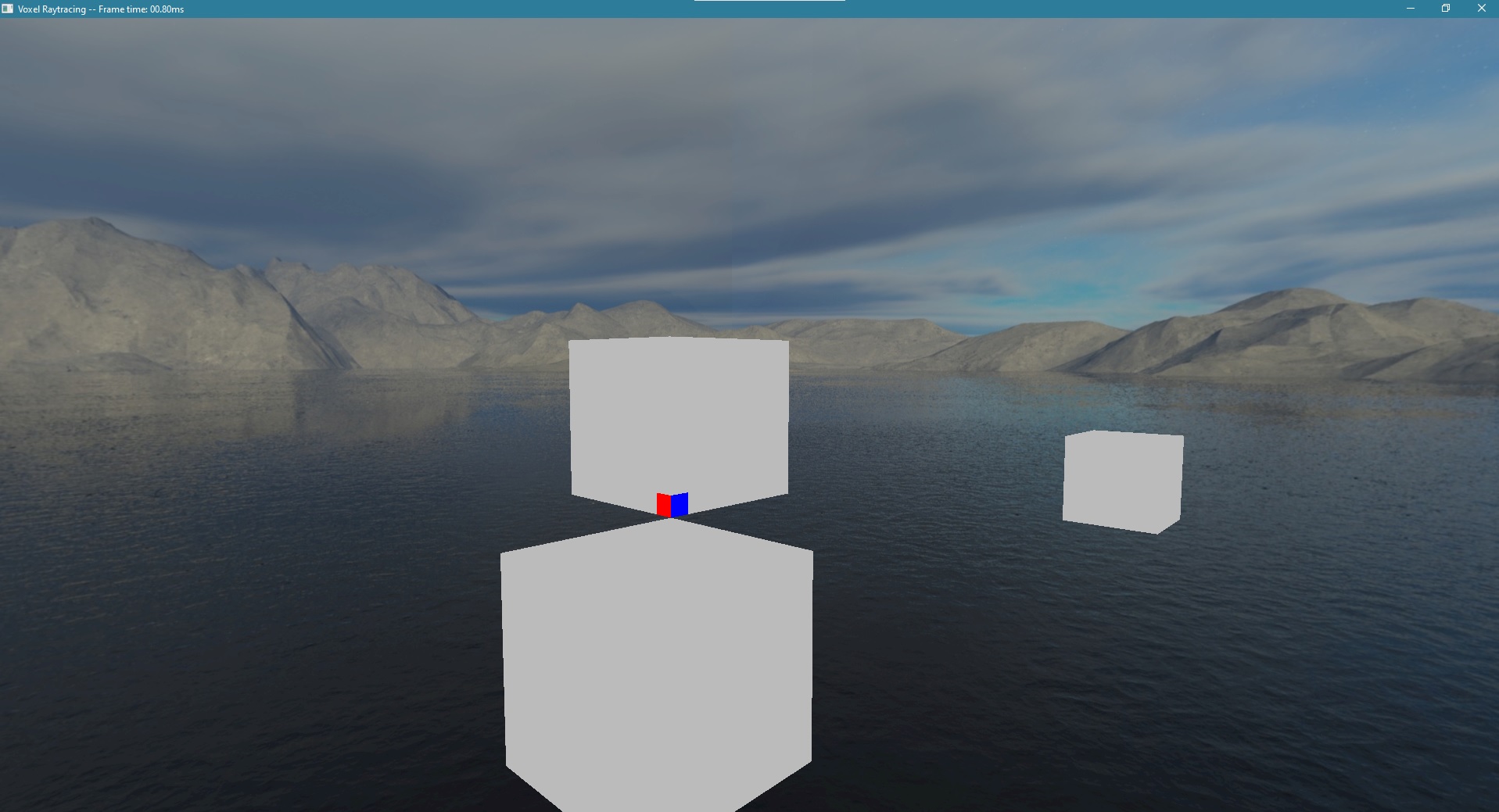 This was how it looked at first. The white boxes are the chunks, and the blue and red are the face normals of a single voxel.
The data I was using to determine whether or not a voxel was invisible wasn’t working, and it somehow obstructed the normals.
Wheter or not a whole chunk should be examined for present voxels was working though.
This was how it looked at first. The white boxes are the chunks, and the blue and red are the face normals of a single voxel.
The data I was using to determine whether or not a voxel was invisible wasn’t working, and it somehow obstructed the normals.
Wheter or not a whole chunk should be examined for present voxels was working though.
After two days of various temporary changes to the shader to try and visualize the data I sent (since you can’t really have a debug print in a shader, and have to rely on drawing to the screen), and several unrelated logic bugs found and fixed, I narrowed it down to how I was compressing the voxels. I was applying my bitmasks after shifting the data, instead of before, meaning it was always zero. 🤦♂️
After fixing the bug, I got the pretty per-voxel normals I wanted working.
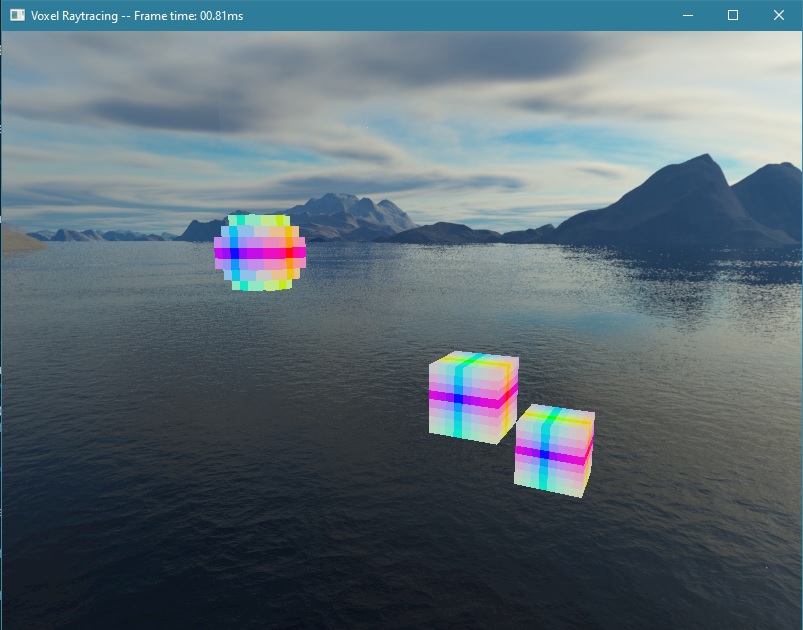 They look especially good on the spherical objects, but I didn’t bother to find a better solution for the cubes.
Of note here is that I’m still only putting objects in their own chunks, meaning there’s not much room for detail. Only
8x8x8 block creations for now, since they’re very easy to implement.
They look especially good on the spherical objects, but I didn’t bother to find a better solution for the cubes.
Of note here is that I’m still only putting objects in their own chunks, meaning there’s not much room for detail. Only
8x8x8 block creations for now, since they’re very easy to implement.
By now, each voxel had a base color, or albedo, and a material with, as of yet, unused properties for emissiveness, opacity, shininess, and so on. Since the end of the project is coming up (though I doubt I’ll be done by the time I had hoped, that’s tomorrow!), I wanted to get to work on using them as soon as possible. The easiest one seemed to be opacity, or transparency, depending on whether or not you’re an optimist. Simply add a fraction of the transparent object’s color to the color behind it. My scene traversal algorithm carries over the information from the transparent object into the next voxel, and into the next chunk if necessary, and then passes it up to the function that determines the final output color.
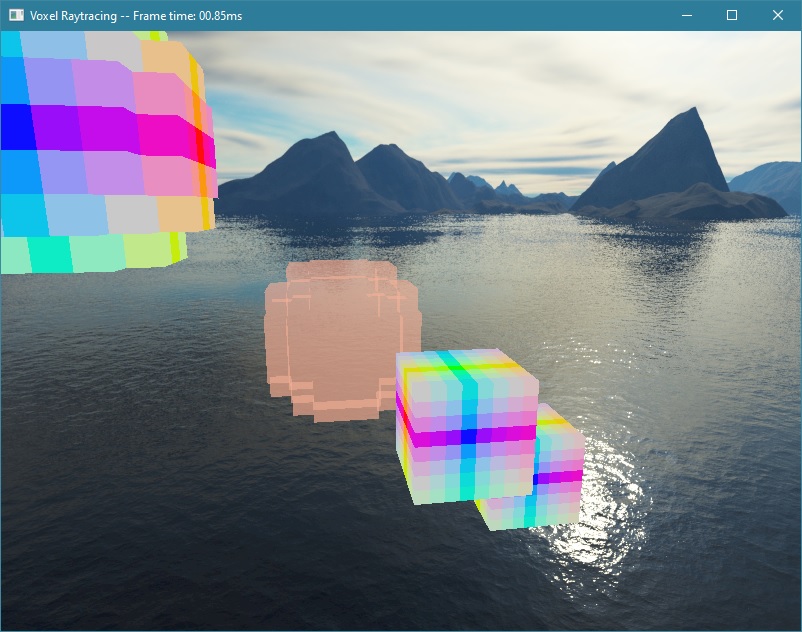 In this picture, I’m not applying the transparent object’s color to the normals of the cube behind it, so they don’t look
completely correct.
In this picture, I’m not applying the transparent object’s color to the normals of the cube behind it, so they don’t look
completely correct.
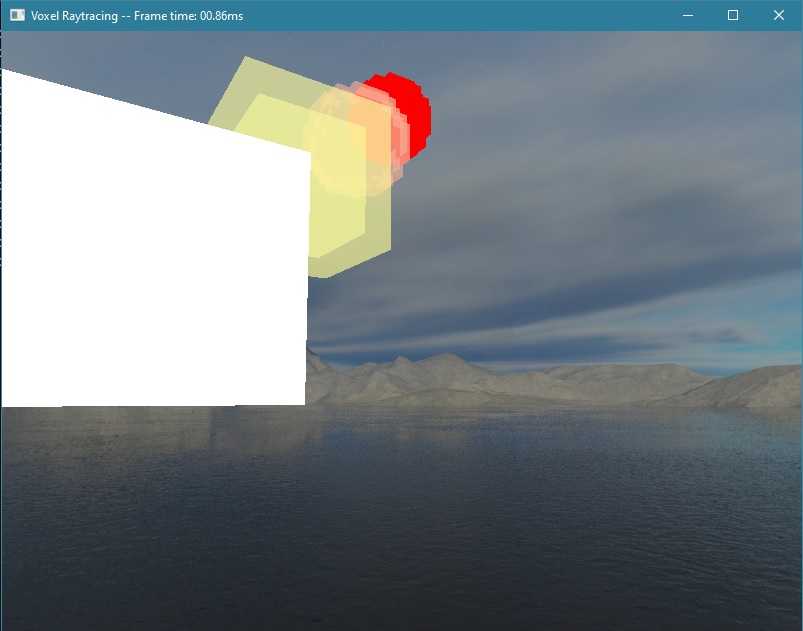 But if I use the albedo colors of the voxels, and apply the correct transparency colors, the transparent objects can even overlap
with each other!
But if I use the albedo colors of the voxels, and apply the correct transparency colors, the transparent objects can even overlap
with each other!
Next I would like to implement lighting, reflection, and maybe even refraction through transparent objects.