Light and Reflection
Per voxel shading
The goal of this project was a quite stylized look, with lighting calculated for each voxel. This means that I can’t use the ordinary raytracing approach of bouncing the ray cast from the camera at the point where it hit the scene, as that would make the color different for each pixel of the voxel hit. Instead, I use an approach similar to lightmapping. Lightmapping implies precalculating the light in an area statically before it’s rendered, and is usually done only once, to reduce the need for time consuming lighting calculations every frame. But since the world I’m rendering is very simple, really just a 3D grid, doing the lightmapping every frame is quite reasonable. Before rendering, I have another compute shader cast rays from each visible voxel. These rays are used to calculate lighting for that voxel using a shading model similar to the Phong model. The ambient, diffuse and specular light components are then stored in that voxel for the other compute shader to read later.
Randomness
I mentioned in an earlier post that regular path tracers require denoising to look any good. This is because they take several samples of the scene, in various random directions. Only the pixels where a ray actually touches get any color, meaning you need a lot of samples to color the whole screen. Regular raytracers solve this either by some denoising algorithm, or by accumulating colors over several rendered frames. With per voxel lighting, we have the luxury of not needing to hit the whole screen; as long as every visible voxel gets hit by a ray, there is some information available for lighting it. We can then use the average of all the rays that hit the voxel to calculate the color, accumulated over several frames.
The implementation process
Implementing this wasn’t as easy as it sounds, though. I added a floor to the scene, so I could see what was going on with shadows.
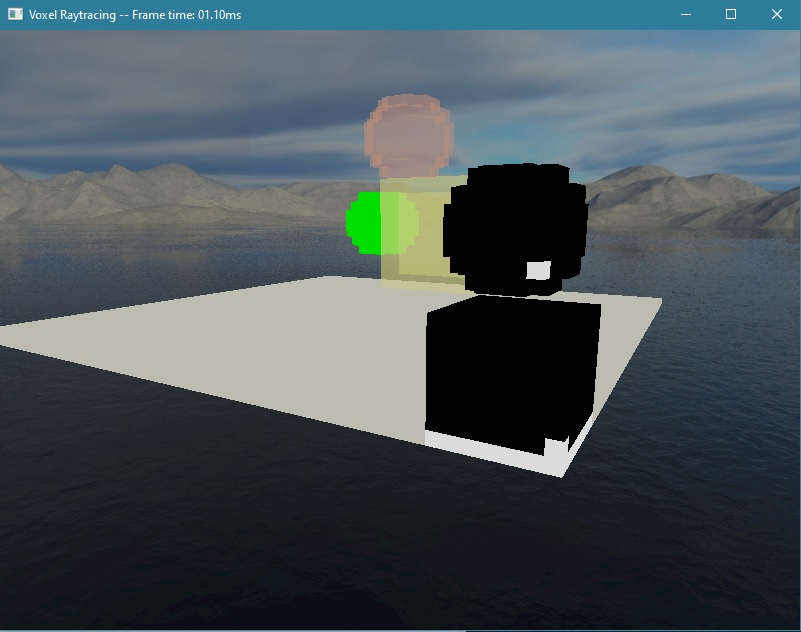 As you can see, this didn’t work at all at first. The black bits with a single white voxel was due to a bug in how I decided whether to skip lighting a chunk.
There was also still no shading being applied at all.
As you can see, this didn’t work at all at first. The black bits with a single white voxel was due to a bug in how I decided whether to skip lighting a chunk.
There was also still no shading being applied at all.
Next, I started keeping better track of how many samples I had already taken, by adding that information to the chunks. Since all voxels in a chunk are guaranteed to be updated
within the same compute shader work group, this information is fine to store per chunk, though it did increase the size of the scene by quite a lot more than necessary.
Due to GPU alignment, adding a single 32-bit number to the chunk struct increased its size by 16 bytes. With the diffuse and specular lighting components I now also store in
the compressed voxels, this has made the size of the scene data sent to the GPU a total of about 5MB.
 It’s not visible in the image, but there was a lot of flickering here. The scene was also a lot darker than expected.
That turned out to be because the rays from each voxel were immediately hitting the same voxel it started at. I had tried to account for this by biasing the
start position of the ray from the voxel’s center according to the normal of the voxel, but apparently that wasn’t enough,
so I changed the scene traversal algorithm to allow skipping the first voxel it hit.
It’s not visible in the image, but there was a lot of flickering here. The scene was also a lot darker than expected.
That turned out to be because the rays from each voxel were immediately hitting the same voxel it started at. I had tried to account for this by biasing the
start position of the ray from the voxel’s center according to the normal of the voxel, but apparently that wasn’t enough,
so I changed the scene traversal algorithm to allow skipping the first voxel it hit.
And with that, shadows started working.
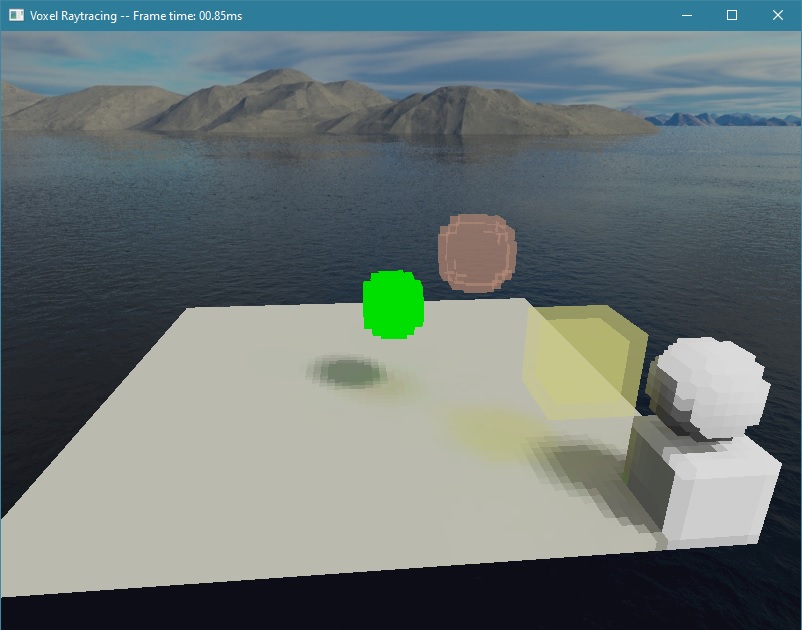 Even the transparent objects were casting colored shadows, which looked great.
But there was no specular highlights on any of the objects.
I later realized that was because I didn’t have any objects with a material that would cause those to appear.
Even the transparent objects were casting colored shadows, which looked great.
But there was no specular highlights on any of the objects.
I later realized that was because I didn’t have any objects with a material that would cause those to appear.
There was still a lot of flickering, which I assumed was due to a slightly too wide spread in the random number generation between frames, but before I looked into that,
I wanted to get reflections working, as that was more in line with the goals of the project, and I am already behind schedule.
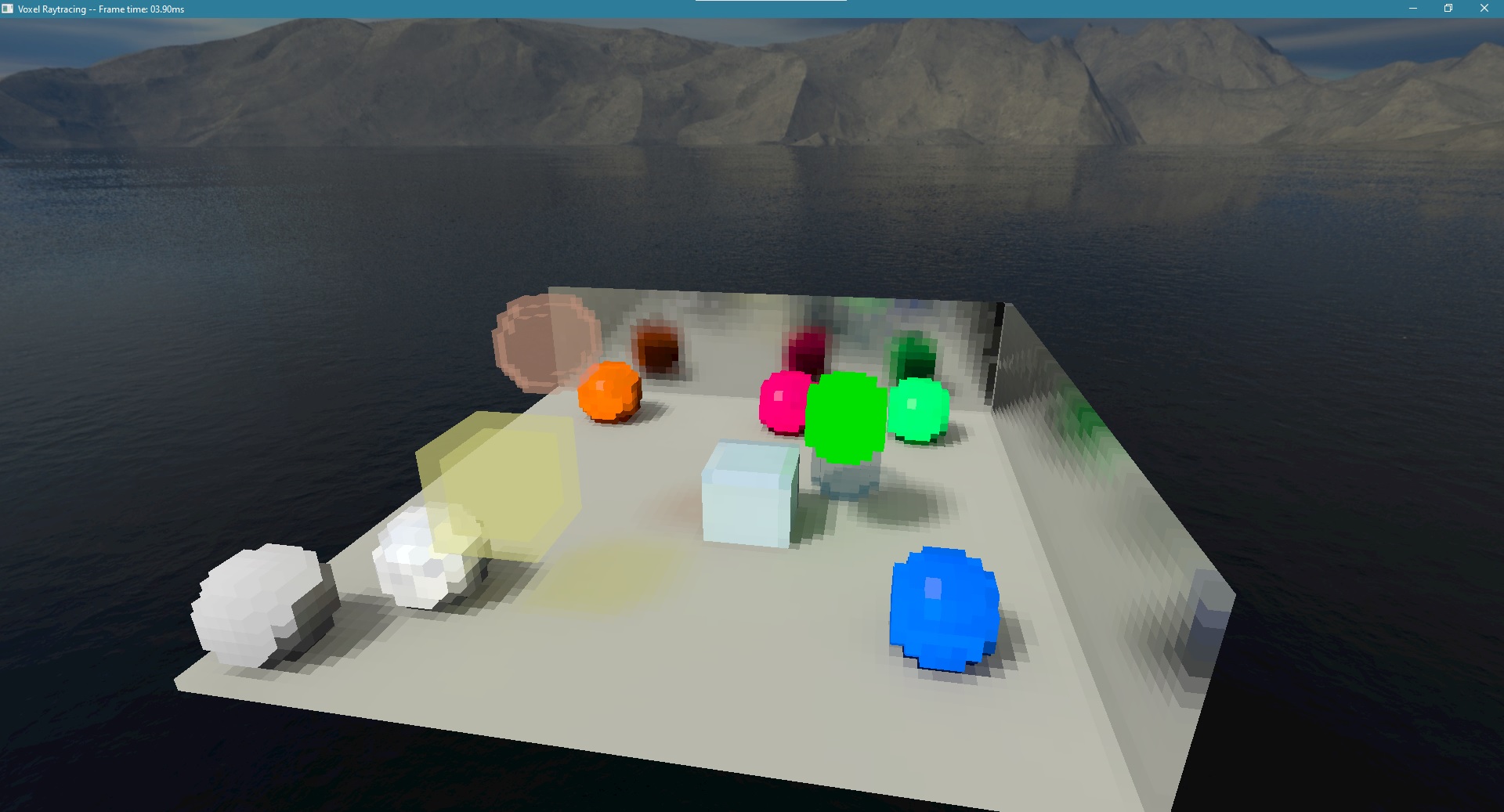 Doing so wasn’t particularly diffícult, as shading languages tend to have built in functions for reflecting directions. Simply looping the specular calculations
and updating the ray direction every loop was enough for this. I added some walls with very reflective, shiny materials to show this off, as well as some spheres with
materials that do exhibit specular highlights.
Doing so wasn’t particularly diffícult, as shading languages tend to have built in functions for reflecting directions. Simply looping the specular calculations
and updating the ray direction every loop was enough for this. I added some walls with very reflective, shiny materials to show this off, as well as some spheres with
materials that do exhibit specular highlights.
Finally, I tried lowering the sun strength to see better whether the emissive materials were being treated correctly.
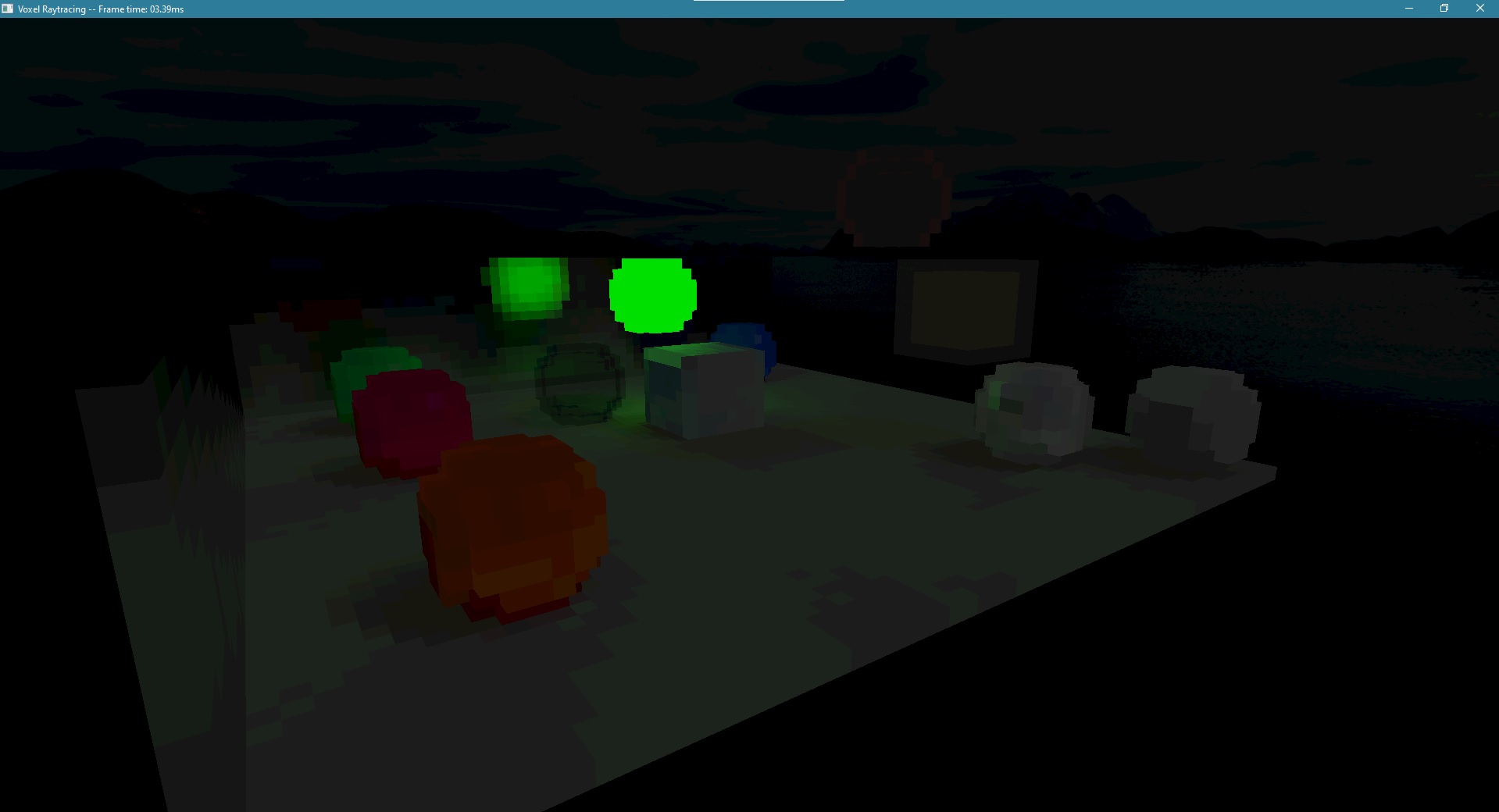 This looks great! A lot of the flickering also seemed to disappear in these later stages, but not completely.
Results
Have a look at the video demonstration of the final raytracer below!
Further ideas
As the project is already way behind schedule, there were a lot of things I did not have time to implement.
- The boilerplate code required to transfer data from the CPU to the GPU is quite tedious to write, so I didn’t make any ways to tune the rendering parameters during runtime. The code must be recompiled for any changes made.
- I didn’t have time to make a browser version of the executable. It shouldn’t be too difficult, since the code should just work if compiled for the browser, but I know next to nothing about web development, so integrating that with the blog would take a long time, and if there were any issues compiling, I would need a lot of time to solve them.
- The refraction of light through transparent materials should not be very difficult to implement either. However, determining in which cases to use refraction could take time, since the per voxel idea may not play nicely with such messy ray behaviors.
- Improving the way chunks are stored could and should be done. The
wgpulibrary sets some default limits on the implementation, that I had to manually override to be able to have enough compute shader invocations at once. With a better storage solution, such as what frozein uses, that should not be necessary, and may even improve performance. It would also allow scene sizes that are not 8x8x8 chunks. - Specular highlights were never implemented for transparent materials, which should be an easy fix.
- Better ways to fill the scene with voxels, such as signed distance fields would be a nice convenience to have, to be able to generate shapes larger than one chunk.
- In order to be used for something like a game, the world cannot be completely built out of voxels. There has to be a way to render more detailed objects, which would either require very large scenes, so that a voxel doesn’t seem so large, or the ability to rasterize objects in the scene.
- solving the flickering problem if possible would be good.
This list could be extended infinitely, but for now, I have to calm down and focus on the formalia of the project. With this post, the blog should be finished, which leaves the final project specification and the report.